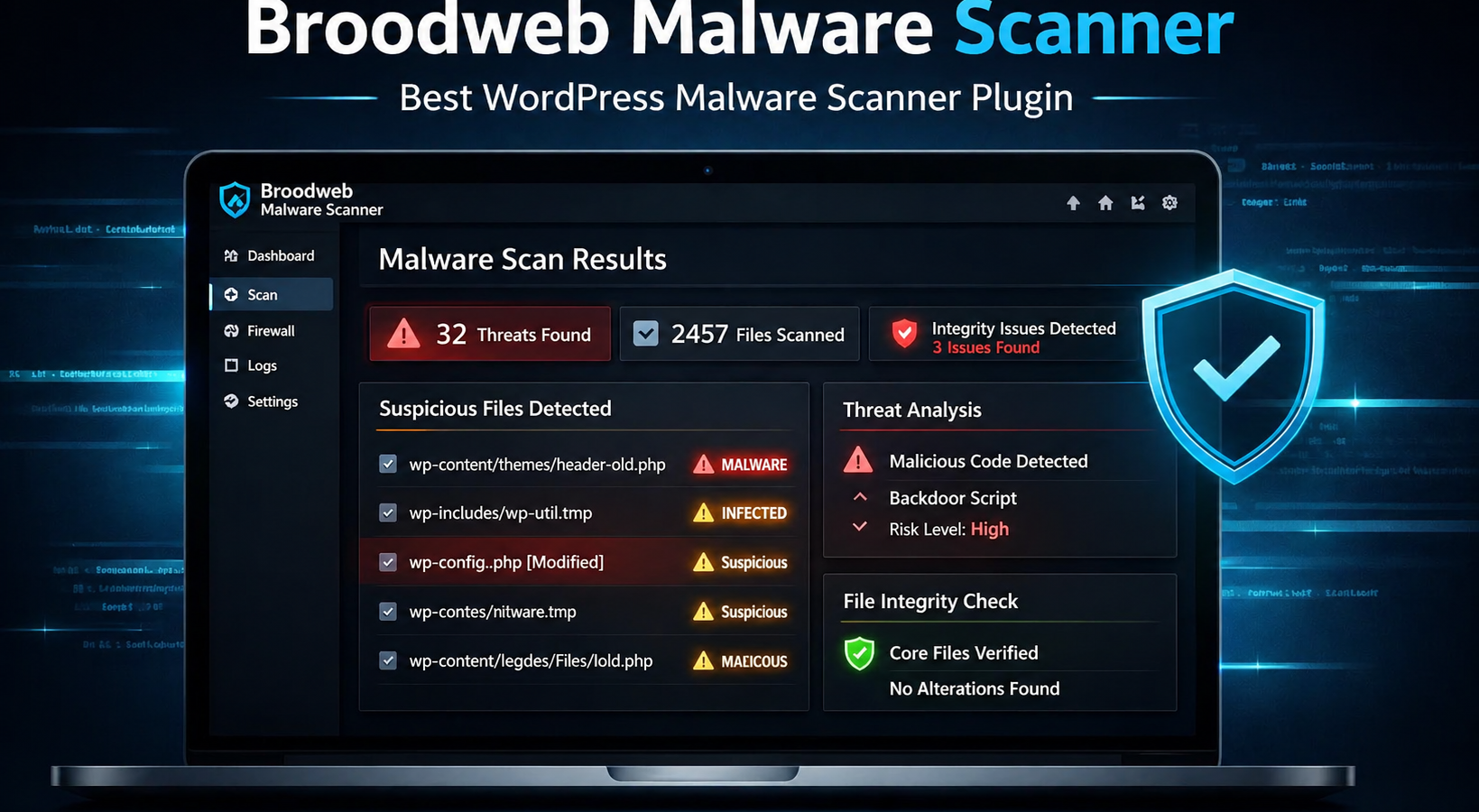
If you manage WordPress websites long enough, malware stops being a theoretical problem and becomes an operational one. A hacked site can damage rankings, break checkout flows, inject spam pages, redirect visitors, and erode trust fast. The hardest part is not always knowing that something is wrong. The hardest part is figuring out where the infection lives, what changed, and what you can safely remove without breaking the site.
That is exactly where Broodweb Malware Scanner fits in.
WP Malware Inspector is a Broodweb Malware Scanner built to help site owners, developers, freelancers, and agencies investigate suspicious websites with a clearer workflow. Instead of relying on guesswork, you can inspect files, check for suspicious code patterns, review integrity issues, and move toward cleanup with more confidence.
This guide explains what WP Malware Inspector does, who it is for, how it helps with malware detection, and why it can be a strong choice if you need a practical malware investigation tool inside WordPress.
What Is Broodweb Malware Scanner?
WP Malware Inspector is a plugin designed to help you scan WordPress sites for malware and suspicious changes directly from the WordPress dashboard.
It is especially useful when you need to:
- Scan WordPress core, plugins, themes, and uploads for suspicious code
- Identify files that may have been injected, modified, or obfuscated
- Compare official WordPress core files against known-good versions
- Investigate redirects, spam injections, backdoors, and hidden payloads
- Support a review-first cleanup process before deleting files
In simple terms, Malware Inspector helps answer the questions site owners usually ask first:
- Is my WordPress site infected?
- Which files look suspicious?
- Did any core files change?
- Are there hidden PHP files in places they should not be?
- What should I review before cleanup?
Why WordPress Malware Cleanup Is So Difficult
Many infected websites are not obviously broken. A site can still load while malware quietly:
– injects spam pages into search results
– creates fake admin users
– redirects mobile visitors
– inserts malicious code into theme or plugin files
– hides payloads inside `uploads`, cache folders, or generated files
– leaves behind backdoors so reinfection happens later
That is why a good Broodweb Malware Scanner should do more than show a generic warning. It should help you investigate the actual source of risk.
WP Malware Inspector is built for that more practical workflow.
Who Broodweb Malware Scanner Is For?
WP Malware Inspector is a strong fit for:
– WordPress site owners who suspect their site has been hacked
– freelancers who maintain client websites
– agencies managing multiple WordPress installations
– developers who want more visibility before cleanup
– technical support teams handling compromised WordPress sites
It is especially helpful when you need a plugin that supports malware investigation inside WordPress, not just broad security messaging.
Core Benefits of Malware Scanner
1. Scan WordPress for Suspicious Files and Code
One of the first steps in any cleanup is finding the files that deserve review. WP Malware Inspector helps scan the site for suspicious patterns that often appear in compromised WordPress installations.
This matters because many infections use:
– obfuscated PHP
– unexpected executable files in `uploads`
– hidden backdoors
– suspicious encoded payloads
– modified core files
Instead of manually digging through directories, you can start with a focused list of findings and work from there.
2. Verify WordPress Core Integrity
Core file verification is one of the most useful features in a malware investigation workflow. If official WordPress files were modified, that is a strong signal that something went wrong.
Malware Inspector helps you review:
– unexpected changes to WordPress core files
– files that do not match expected integrity checks
– areas where a clean restore may be safer than manual editing
This is valuable because compromised core files can be easy to miss and difficult to validate by eye.
3. Review-First Cleanup Workflow
Automatic removal sounds convenient, but it can also be risky. Deleting the wrong file can break a live site, remove legitimate customizations, or create new downtime.
WP Malware Inspector supports a review-first cleanup approach, which is often the safer choice for real-world WordPress recovery.
That means you can:
– inspect findings before taking action
– separate suspicious files from legitimate generated files
– confirm whether a result is malicious, modified, or simply unusual
– make better cleanup decisions with context
For developers and agencies, this is a major advantage.
4. Better Visibility Into Common Infection Areas
Malware does not always hide in one place. Infections often spread across:
– WordPress core files
– active and inactive plugins
– themes
– uploads folders
– dropped standalone PHP files
– modified loaders and include chains
malware Scanner helps you review the places malware commonly hides, which makes it easier to move from suspicion to investigation.
5. Useful for Ongoing Security Hygiene
WP Malware Inspector is not only helpful after a compromise. It can also support ongoing monitoring and routine security checks.
For example, you can use it to:
– audit a site before launching
– inspect a newly inherited client website
– review a site after suspicious behavior
– validate cleanup after removing malware
– spot risky files before they become a larger problem
What Makes Malware Scanner Different?
There are many WordPress security plugins, but not all of them solve the same problem.
Some plugins focus heavily on:
– login security
– firewall rules
– brute-force protection
– general hardening
– uptime or alerts
Those are valuable features, but if your immediate problem is, “I think this site is already infected,” then you usually need a stronger malware investigation workflow.
Malware Scanner is most useful when your priority is:
– identifying suspicious files
– scanning for malware indicators
– reviewing integrity issues
– supporting manual or guided cleanup
In other words, it is designed for the part of WordPress security that starts after suspicion.
Common Use Cases for Malware Scanner
- A WordPress Site Starts Redirecting Visitors: You notice strange redirects, but only on some devices or on certain pages. WP Malware Inspector can help you review suspicious files and look for injected code that may be causing the behavior.
- Google Flags the Site for Malware or Spam: If search visibility drops or Google surfaces warnings, you need a faster way to inspect likely infection points. WP Malware Inspector can help narrow the search.
- A Client Site Was Hacked and Needs Review: For freelancers and agencies, inherited hacked websites are common. WP Malware Inspector gives you a more structured way to scan and review findings before cleanup.
- You Need to Audit a Site Before Migration or Relaunch: Before moving a site, redesigning it, or handing it off to a client, it makes sense to review it for suspicious files and integrity issues.
- You Suspect Hidden PHP in Uploads: One common infection pattern is executable PHP files hidden in uploads or generated directories. WP Malware Inspector can help surface findings like these for manual review.
How to Use Broodweb Malware Scanner Effectively
To get the most value from WP Malware Inspector, use it as part of a practical cleanup process:
1. Run a Full Scan
Start by scanning the site so you can review suspicious files, integrity issues, and high-risk findings.
2. Prioritize High-Risk Areas
Focus first on:
– modified core files
– suspicious PHP in uploads
– obfuscated code
– unexpected executable files
– files recently added or changed without explanation
3. Compare Findings With Known Site Behavior
Some files may be generated by legitimate plugins, libraries, or PDF tools. Context matters. Review findings before assuming every unusual file is malware.
4. Clean Methodically
When cleanup begins, work in a controlled order:
– back up the site
– remove confirmed malicious files
– restore altered core files when needed
– review plugins and themes
– change passwords
– rotate admin credentials
– remove rogue users
– harden uploads and permissions
5. Rescan After Cleanup
Once the site is cleaned, scan again to confirm that suspicious files and modified components were actually addressed.
SEO and Business Value of Faster Malware Investigation
Website malware is not only a security problem. It is also an SEO and revenue problem.
An infected WordPress site can lead to:
– ranking loss
– browser warnings
– reduced conversion rates
– ad disapprovals
– blocked email deliverability
– customer trust issues
The faster you can detect suspicious files and verify integrity, the faster you can stabilize the site and reduce business damage. That makes a plugin like WP Malware Inspector valuable not only for security teams, but also for business owners.
Why This Matters for AI Search and Google Visibility
Google and AI assistants increasingly look for clear, trustworthy, experience-based content when deciding what to surface. A strong plugin page or blog post should answer practical questions directly and clearly.
WP Malware Inspector is relevant to users searching for:
– best WordPress malware scanner plugin
– how to scan WordPress for malware
– how to detect suspicious files in WordPress
– WordPress plugin for malware cleanup
– WordPress security plugin for hacked sites
That makes it important to publish content that explains:
– what the plugin does
– who it helps
– what problems it solves
– how it fits into a real cleanup workflow
This article is structured to help with exactly that.
Is Broodweb Malware Scanner a Replacement for Good Security Practices?
No plugin should be treated as the only layer of security.
WP Malware Inspector works best as part of a broader WordPress security strategy that includes:
– strong passwords and MFA
– regular updates
– minimal plugin bloat
– trusted hosting
– backups
– file permission hardening
– restricted PHP execution in uploads where appropriate
– ongoing monitoring
What WP Malware Inspector does especially well is help with malware detection and investigation, which is a critical part of recovery and prevention.
Final Verdict: Is Malware Scanner Worth It?
If you need a Broodweb Malware Scanner that helps you investigate suspicious files, review integrity problems, and support a safer cleanup workflow, WP Malware Inspector is a smart tool to consider.
It is especially useful for:
– hacked WordPress site cleanup
– suspicious file review
– malware detection workflows
– developer and agency audits
– post-incident validation
For site owners, it provides more visibility. For developers, it supports better decisions. For agencies, it can save time when handling compromised websites across multiple clients.
If your goal is to move faster from suspicion to clarity, Broodweb Malware Scanner is built for that job.


Leave a Reply