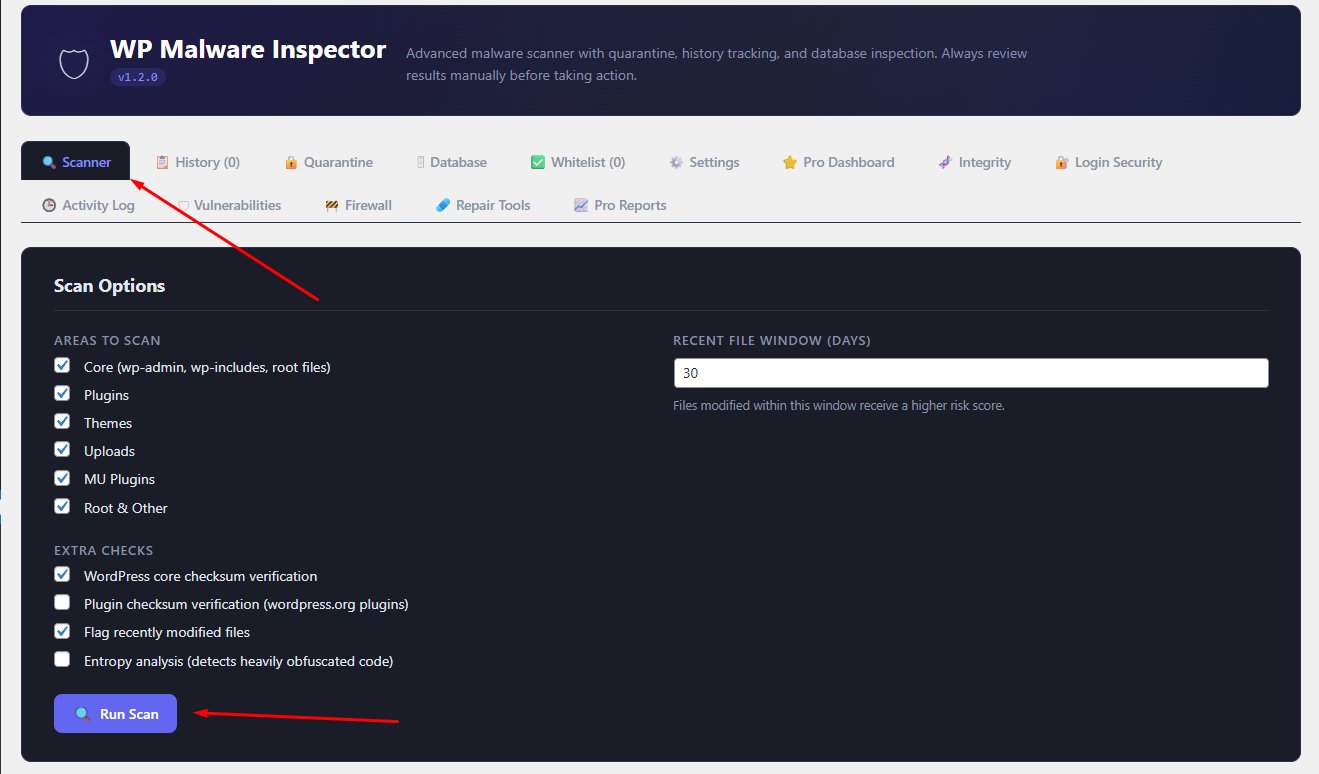
1. Open the `Scanner` tab.
2. Choose the areas you want to scan:
3. `Core`
4. `Plugins`
5. `Themes`
6. `Uploads`
7. `MU Plugins`
8. `Root & Other`
9. Set the `Recent File Window` in days if you want recently modified files to receive more attention.
10. Enable any extra checks you want:
11. WordPress core checksum verification
12. Plugin checksum verification
13. Recent file flagging
14. Entropy analysis for possible obfuscation
15. Click `Run Scan`.
16. Wait for the progress bar to finish.
17. Review the report that appears below the scan form.