Configure Plugin Settings
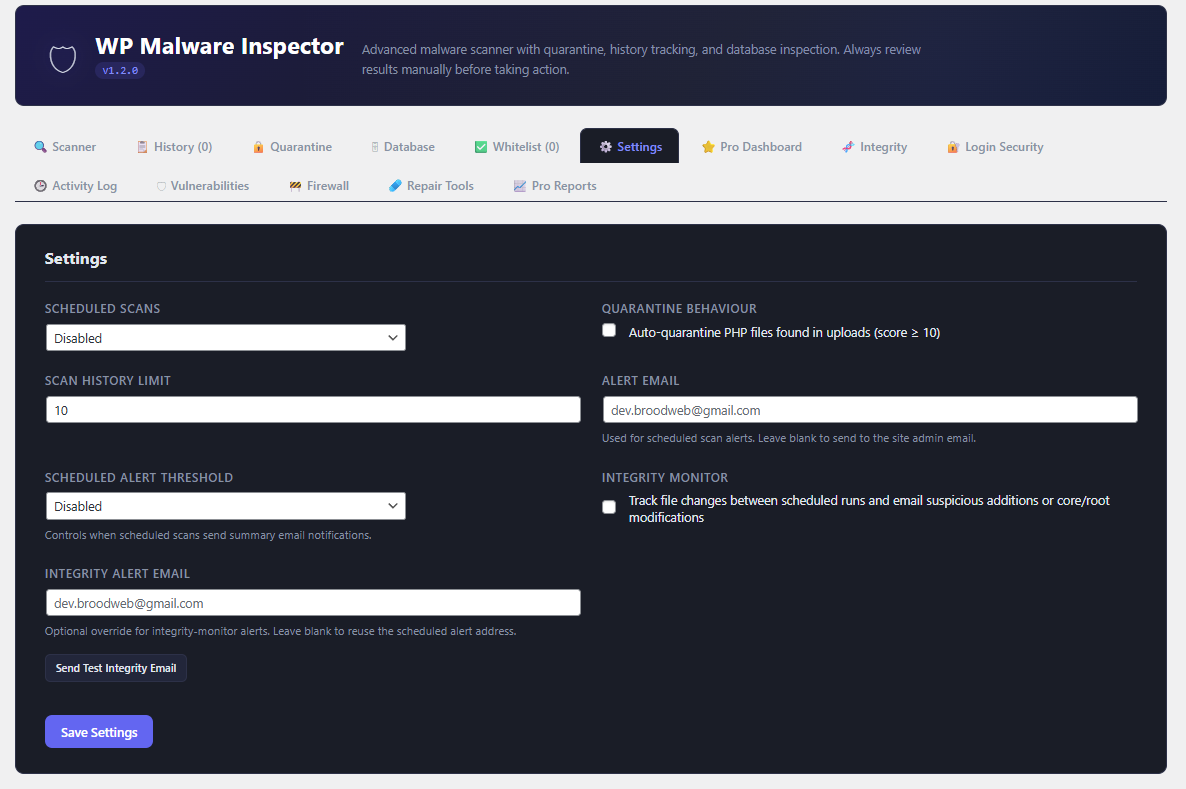
Open the `Settings` tab to control how the plugin behaves.
Available Free Settings
1. Scheduled scan frequency
2. Auto-quarantine for suspicious PHP files in uploads
3. Scan history limit
4. Alert email
5. Scheduled alert threshold
6. Integrity monitor toggle
7. Integrity alert email
8. Test integrity email
How To Configure Scheduled Scans
1. Open `Settings`.
2. Choose a frequency such as `Daily`, `Weekly`, or `Monthly`.
3. Enter an alert email address if you want email notifications.
4. Choose the alert threshold:
5. Disabled
6. Any suspicious file
7. Any reportable finding
8. High-risk files only
9. Click `Save Settings`.
How To Configure Free Integrity Alerts
1. Enable `Integrity Monitor`.
2. Enter an optional integrity-specific email address.
3. Save settings.
4. Use `Send Test Integrity Email` to verify delivery.